

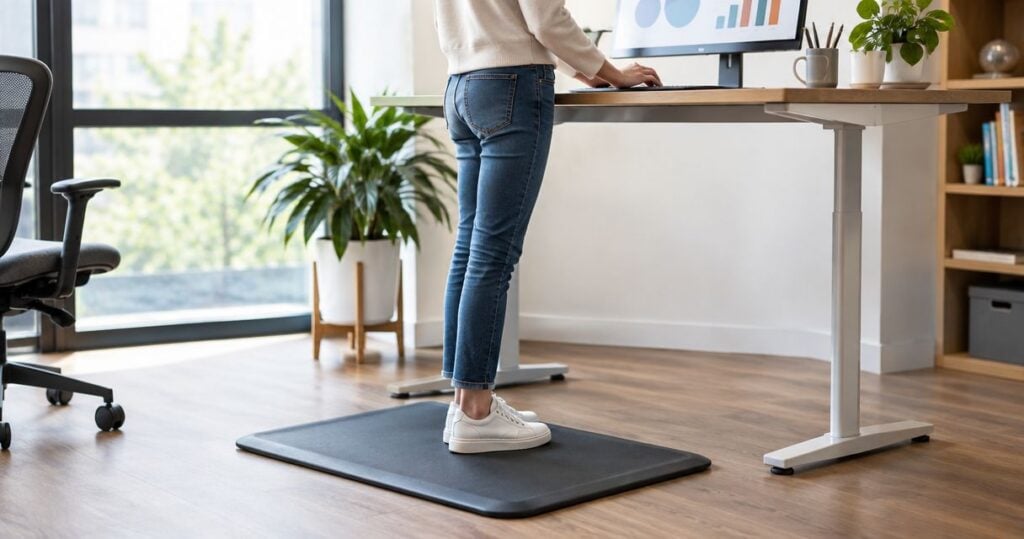
For the best anti fatigue mat for standing all day, start with a flat, closed-surface cushioned mat for a dry workstation; choose a drainage mat for a wet area or a modular mat for a long bench. This 2026 guide compares mat designs by workplace fit, cleaning needs and practical limitations—not promised pain relief.
- The best anti fatigue mat for standing all day depends on your floor, task and cleaning requirements.
- Flat, closed-surface cushioned mats are the default option to consider for dry, fixed workstations.
- Drainage mats need workplace approval for wet areas; cushioning alone does not establish slip resistance.
- MyChiro provides chiropractic care in Bondi Junction; this guide compares workplace equipment, not clinical outcomes.
Why this matters
A mat changes the surface beneath your feet. It does not change an awkward bench height, repeated reaching, unsuitable footwear or a job that gives you no opportunity to change position.
MyChiro is a chiropractic clinic and wellness centre in Bondi Junction, Sydney. Workplace equipment choices are separate from decisions about chiropractic assessment or adjustments.
Choose the mat around the job, not around a promise that you can stand comfortably all day. For a broader look at the workstation, see the guide to ergonomic setups for shift workers.
What makes a suitable anti-fatigue mat?
Use these criteria before comparing styles. A design that suits a home office does not automatically suit a commercial kitchen or workshop.
- Floor compatibility: Check whether the backing suits your actual floor and remains in place during normal work.
- Stable footing: Assess cushioning in your work shoes. Reject a surface that feels unstable or makes turning awkward.
- Edge design: Look for edges that lie flat and do not obstruct nearby walking routes.
- Task coverage: Cover the standing position without interfering with doors, chair movement, equipment or access routes.
- Cleaning requirements: Match the surface and material to the workplace cleaning process, including any exposure to liquids or chemicals.
- Workplace approval: Confirm that the mat meets your employer’s requirements before introducing it into a shared work area.
For your 2026 shortlist, prioritise documented specifications over labels such as ergonomic, premium or therapeutic. Those words do not tell you whether a particular mat suits your floor.
Anti-fatigue mat designs at a glance
These are design categories, not tested product rankings. Individual models differ, so check the supplier’s documentation before purchasing.
| Mat design | Best for: use-case fit | Standout design feature | Key limitation |
|---|---|---|---|
| Flat, closed-surface cushioned mat | Dry, fixed workstations | Continuous standing surface without drainage holes | Requires separate checks for liquids, cleaning chemicals and floor grip |
| Drainage mat | Wet work areas where workplace rules permit it | Openings that let liquids pass through | The floor underneath still needs cleaning and inspection |
| Modular interlocking mat | Long benches or adjoining workstations | Sections arranged to match the work area | Joins and perimeter edges need attention |
| Contoured standing-desk mat | An individual desk away from through-traffic | Raised sections that offer different foot positions | Raised shapes can obstruct stepping or chair movement |
| Compact flat mat | Small home-office standing zones | A smaller footprint to manage around furniture | Limited room for wider stances or movement |
1. Flat, closed-surface cushioned mat: for dry workstations
A flat, closed-surface cushioned mat provides a continuous surface at a fixed standing position. Consider this design for a dry counter, packing station or desk where drainage is not required.
It is the default design to assess because it does not introduce drainage holes, interlocking joins or raised foot features. That is a layout advantage, not evidence that every model performs equally.
Flat, closed-surface mat pros:
- Gives you an uninterrupted standing area.
- Lets you assess cushioning without navigating raised sections.
- Offers a straightforward footprint for a fixed workstation.
Flat, closed-surface mat cons:
- A continuous surface does not establish suitability for spills or chemical exposure.
- Cleaning compatibility and grip depend on the particular material and backing.
Best for: Dry workstations where you mainly stand in one defined area.
Before choosing, inspect the edges and check how the mat behaves when you turn, reach or step off it. A mat that shifts during those movements is not a suitable choice for that setup.
Verdict: Buy only after confirming floor compatibility, stable footing and workplace approval.
2. Drainage mat: for approved wet work areas
A drainage mat has openings that allow liquid to pass through rather than remain solely on its upper surface. This design belongs on the shortlist for wet workstations, subject to the workplace’s hygiene and floor-management requirements.
Drainage is not the same as slip resistance. You still need to check the specified material, backing, footwear compatibility and conditions in which the mat will be used.
Drainage mat pros:
- Provides openings for liquid to pass through.
- Makes drainage a deliberate part of the equipment choice.
- Can be assessed against a wet-area cleaning procedure.
Drainage mat cons:
- Liquid and debris beneath the mat still require removal.
- Openings can complicate movement with narrow heels or small equipment wheels.
Best for: Wet work areas where the employer approves the specific mat and cleaning process.
During a 2026 equipment review, ask who will lift, clean, inspect and replace the mat. A drainage design without an assigned maintenance process leaves an important question unanswered.
Verdict: Hold until the workplace confirms wet-area suitability and maintenance responsibilities.
3. Modular interlocking mat: for long workbenches
A modular mat uses connecting sections to create a larger standing area. It is an option when staff work along a bench rather than remain at one small station.
The useful feature is layout flexibility. Inspect the assembled surface—not just a single sample section—because joins and outer edges become part of the walking and standing area.
Modular mat pros:
- Allows the layout to follow adjoining work positions.
- Provides an alternative to several separate loose mats.
- Lets you plan coverage around the bench footprint.
Modular mat cons:
- Connections need inspection for separation or unevenness.
- A larger installation creates more surface and perimeter to maintain.
Best for: Long benches or connected stations with an approved mat layout.
Check whether the proposed arrangement crosses a walkway or reaches into an equipment route. More coverage is not automatically a better arrangement; preserve access and turning space.
Verdict: Buy only after checking the complete layout, joins and perimeter edges.
4. Contoured standing-desk mat: for individual desks
A contoured standing-desk mat includes raised sections or shaped areas that offer different places to position your feet. It differs from a flat mat because the shape becomes part of how you use the standing space.
Consider it only where you can step on and off without obstructing other people. Do not assume that a raised surface provides a clinical benefit or suits everyone’s balance and mobility.
Contoured mat pros:
- Offers several foot-position options within one mat.
- Provides a distinct standing zone beneath an individual desk.
- Makes surface shape an explicit buying choice rather than an incidental feature.
Contoured mat cons:
- Raised sections require attention when stepping on and off.
- The shape can interfere with a chair or nearby walking route.
Best for: An individual standing desk with clear surrounding floor space.
Try the design in your normal work shoes if a suitable demonstration is available. If you need an unobstructed level surface, choose a flat design instead.
Verdict: Skip where raised features interfere with access, stepping or chair movement.
5. Compact flat mat: for small home offices
A compact flat mat offers a smaller standing surface for a restricted desk area. Its main distinction is footprint, not a separate claim about comfort or health.
Measure the usable standing space before choosing. The mat needs to accommodate your normal stance without forcing your feet close together or leaving an edge beneath them.
Compact flat mat pros:
- Takes up less floor space than a larger workstation mat.
- Gives you a defined standing area at a small desk.
- Offers a simpler shape to assess around nearby furniture.
Compact flat mat cons:
- Provides less space for stepping or changing stance.
- Still needs a storage position when you switch to sitting.
Best for: Small home-office standing zones with enough room for your usual stance.
Map both desk modes: standing and sitting. If moving the mat leaves it in a doorway or beside your chair wheels, reconsider the arrangement before purchasing.
Verdict: Buy only if the footprint accommodates your stance and has a clear storage location.
Check the workstation before ordering
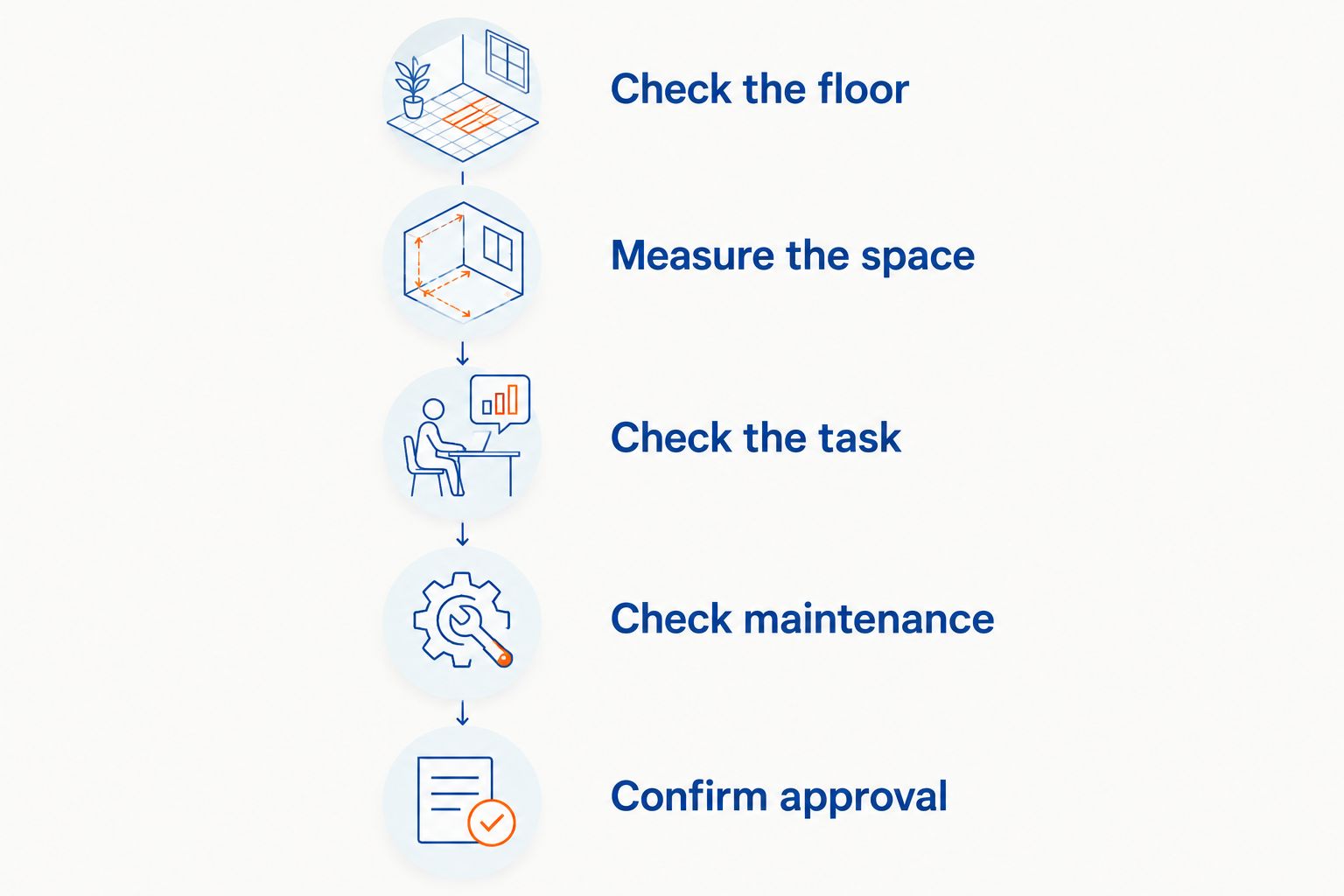
Use this sequence for a practical 2026 buying decision. Record dimensions in centimetres and compare them with the actual product specifications; there is no universal footprint that fits every workstation.
- Check the floor. Identify the surface, any liquids or debris, and the employer’s rules for introducing mats.
- Measure the space. Include your standing position, door swing, chair path and nearby equipment routes.
- Check the task. Notice where you turn, reach, carry objects or step away from the workstation.
- Check maintenance. Establish how the mat and underlying floor will be cleaned and inspected.
- Confirm approval. Resolve suitability questions before ordering equipment for a shared workplace.
A mat should fit the work area without creating a new obstruction. Test the proposed location through the normal task sequence, including transitions between sitting and standing.
What to ask the supplier
Ask for the information that applies to your workplace rather than relying on a general comfort description:
- Is the backing suitable for this floor surface?
- What cleaning products and methods does the manufacturer permit?
- Is the mat intended for the liquids or substances present here?
- How should damaged edges, worn surfaces or separated joins be handled?
- Does the design accommodate the equipment that moves through this area?
Keep the answers with your equipment records. If a specification is unclear, leave that suitability question unresolved rather than treating an advertising label as proof.
How these designs were ranked
The order prioritises a simple dry-workstation default, followed by designs for distinct environments: wet areas, long benches, individual standing desks and small home offices.
This is a use-case comparison, not a product test or a ranking of clinical outcomes. MyChiro does not sell mats in the supplied information, and no chiropractic service is presented as a reason to choose one design over another.
For workplace guidance, consult Safe Work Australia’s Hazardous Manual Tasks model Code of Practice. The Canadian Centre for Occupational Health and Safety’s Anti-fatigue Mats guidance also discusses mat selection alongside flooring, footwear and work organisation. Check the current versions when reviewing your setup in 2026.
Which anti-fatigue mat should you choose?
Start with a flat, closed-surface cushioned mat for a dry, fixed workstation. Change that choice when the job requires drainage, extended bench coverage or a different footprint.
Do not choose by thickness alone. Assess the complete setup: floor grip, edges, standing space, cleaning and the task itself.
An anti-fatigue mat is workplace equipment, not a diagnosis or a substitute for individual healthcare advice. Persistent or worsening symptoms can be discussed with a qualified health professional; sudden severe symptoms or new weakness need prompt medical assessment rather than another equipment purchase.
FAQ
What’s the best anti fatigue mat for standing all day at a dry workstation?
A flat, closed-surface cushioned mat is the default design to assess for a dry, fixed workstation. Check floor compatibility, stable footing, edges and cleaning requirements before choosing a particular model.
Is a thicker anti-fatigue mat always a better choice?
Thickness alone does not establish suitability. Assess the material, stability, edges and how the mat behaves during your normal work movements.
Can I use a standing-desk mat in a commercial kitchen?
Only consider it if the employer confirms that the specific mat suits the kitchen’s conditions and cleaning requirements. A desk-use label does not establish wet-area, hygiene or chemical compatibility.
Is a drainage mat automatically slip-resistant?
No, drainage openings do not establish slip resistance. Check the supplier’s documented suitability for the floor, footwear and substances involved.
Should I choose a flat mat or a contoured mat for my standing desk?
Choose a flat mat when you need an unobstructed standing surface. Consider a contoured design only if its raised sections suit your stepping, chair movement and available space.
Does an anti-fatigue mat mean I can stand for my entire shift?
A mat is not a reason to remove opportunities to sit, move or change tasks. Review work organisation alongside the floor surface and equipment.
Can an anti-fatigue mat replace an assessment for back or foot pain?
No, a mat does not identify the cause of symptoms. Discuss persistent or worsening symptoms with a qualified health professional rather than relying on an equipment change.
One last thing
Check where the mat goes when you stop standing. A suitable standing footprint can become an obstruction once you pull your chair forward or move equipment through the area.
For your final 2026 check, rehearse that transition before buying. MyChiro’s workplace-equipment guidance should remain separate from any individual decision about chiropractic care.
Related guides
- Standing desk converters and workstation choices
- Supportive shoe considerations for nurses
- Preparing for your first chiropractor appointment