

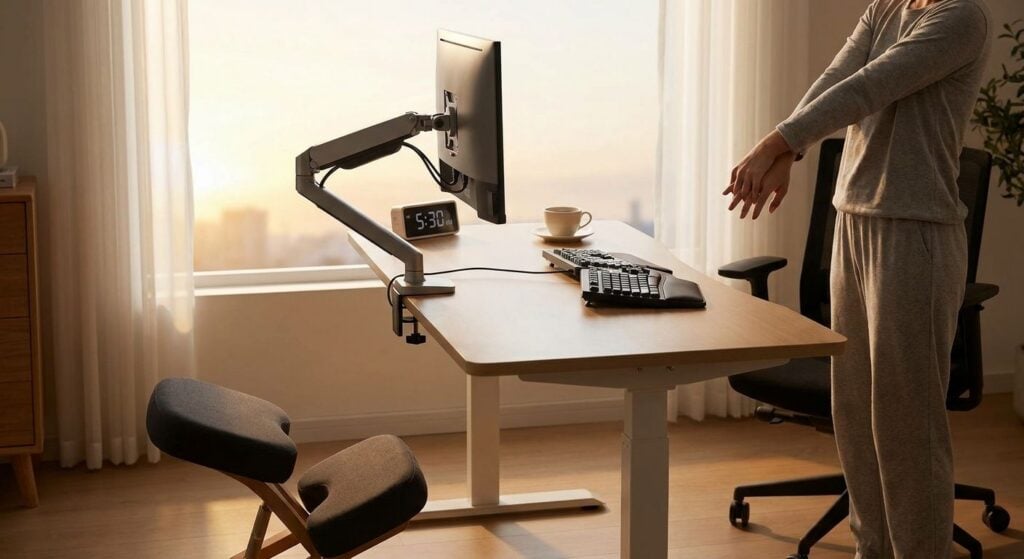
Rotating rosters change your sleep, your appetite and the load your spine carries through a 10- or 12-hour block — the desk, chair and break-room setup you use should change with it. This guide ranks the ergonomic setup pieces that actually hold up across day, evening and night shifts, and flags what's not worth the spend in 2026.
- A lumbar support cushion is the single highest-value item in the best ergonomic setup for shift workers: Buy.
- Sit-stand desks only help if you alternate position every 30-60 minutes: Consider before you buy.
- Heat applied for 15-20 minutes after a night shift supports muscle recovery more than a pricier chair: Buy.
- Anti-fatigue mats matter more for shift workers who stand than for desk-based night staff: Consider.
- Fixed, non-adjustable ‘ergonomic’ chairs marketed on looks alone rarely fit a real spine curve: Skip.
Why this matters for shift workers specifically
Standard office ergonomic advice assumes a body clock that matches daylight hours and a desk that stays put. Shift work breaks both assumptions. A night-shift nurse, factory operator or warehouse picker often works against natural circadian rhythm, and that affects alertness — the muscles that hold your spine upright get less input from a tired nervous system by hour eight or nine of a shift.
Add hot-desking, workstations shared across three rotations, and break timing that slides later as fatigue builds, and the fixed, personalised desk setup most ergonomic advice assumes simply doesn't apply. The best ergonomic setup for shift workers has to be portable, adjustable in seconds, and useful whether it's your third night in a row or your first day back after four off.
MyChiro, a Bondi Junction chiropractic clinic, sees this pattern often in patients on rotating rosters — rarely one dramatic injury, more often cumulative load from a setup that was never built for their schedule.
How these ergonomic setups were ranked
Each pick here is assessed against four criteria that matter more for shift work than for a standard 9-to-5 desk: adjustability (can it reset in under a minute between handovers), portability (does it work on a shared or hot-desked station), cost relative to how often it actually gets used across a rotating roster, and alignment with general ergonomic guidance — the kind published by Safe Work Australia and referenced in workstation standards, not brand marketing copy. General guidance in this space points to elbow angles around 90-110° at a keyboard and screen tops roughly at eye level, regardless of shift.
Items that require a permanent, personalised workstation score lower here, because most shift workers don't get one. None of the entries below are diagnostic tools — they're setup adjustments that may be worth discussing with a health professional if pain is ongoing.
The ranked list
1. Lumbar support cushion — the five-minute add-on
A lumbar cushion straps or clips onto almost any chair and repositions where the seat back contacts your lower spine, without tools or a fixed desk. The detail that matters: it moves from a nurses' station chair to a car seat to a break-room chair in under five minutes, which counts when your "desk" changes three times in one shift.
Position it to fill the gap around your belt line rather than higher on the back — a cushion sitting too high pushes the upper back forward instead of supporting the lower curve. It costs little relative to a chair replacement and travels in a bag.
For shift workers rotating between shared workstations, the lumbar support cushion is the upgrade worth making before anything else on this list. Verdict: Buy.
2. Sit-stand desk — the habit-dependent upgrade
A sit-stand desk only pays off if you actually change position every 30-60 minutes — buying one and standing fixed for a full 10-hour shift just swaps one static posture for another. The desks that hold up under shift-work conditions have one-touch height presets, because fumbling with a manual crank at 4am doesn't happen.
Static standing loads the lower back and legs differently to static sitting, not less. The value only shows up with a real habit of alternating, which gets harder to maintain on night shift once fatigue peaks in the second half of the roster.
Verdict: Consider — buy it if you'll set a reminder to move; skip it if the desk just becomes a permanent standing station.
3. Heat therapy for after-shift recovery — the low-cost ritual
Applying heat for 15-20 minutes at the end of a shift is a low-cost way to support muscle recovery before sleep, and it needs no change to the workstation itself. The detail worth knowing: heat works on muscle tension, not on structural spinal issues, so it's a recovery add-on rather than a substitute for assessment of ongoing pain.
A reusable heat pack or wrap travels well in a locker or car, which matters for workers finishing a shift away from home. It's one of the cheapest items on this list and the easiest to start using tonight.
Compare heating pad options for lower back pain before buying — wattage and auto-shutoff timers vary between models sold in 2026. Verdict: Buy.
4. Anti-fatigue mat — the pick for workers on their feet
For shift workers standing at a bench, register or pick station rather than sitting at a desk, an anti-fatigue mat reduces the constant micro-loading through the feet, knees and lower back that comes from standing on hard flooring for a full shift. Standing still on concrete for eight hours loads the spine differently to standing on a cushioned surface, even without moving your feet.
It's most useful in retail, hospitality, warehouse and clinical settings where a chair isn't part of the job. Desk-based shift workers get less benefit from this pick than from the lumbar cushion above.
Verdict: Consider if you stand more than you sit; Skip if your shift is desk-based.
5. Marketing-led "ergonomic" chairs — the expensive gamble
Chairs sold on the word "ergonomic" alone, with a fixed foam bump instead of an adjustable lumbar mechanism, are one of the more common overspends in this category. A lumbar bump built for an "average" spine curve doesn't move with you, and if it sits in the wrong spot for your body, it can sit worse than no lumbar support at all.
Before buying any chair marketed this way in 2026, check whether the lumbar depth and height actually adjust — most name-brand ergonomic chairs at this price point do, most budget imitations don't.
Verdict: Skip unless the lumbar support is independently adjustable, not just labelled "ergonomic."
Talk To Someone About Your Setup
MyChiro’s Bondi Junction chiropractic clinic offers assessments for desk-related back pain.
Day shift vs night shift: what actually changes
The core equipment stays the same, but two things shift with rotation: lighting and break timing. Night shift desks benefit from adjustable task lighting that doesn't compete with overhead fluorescents at 2am, because squinting or leaning toward a dim screen changes neck and upper back posture within an hour.
Break timing matters more than most workers realise — a 30-60 minute posture reset only works if breaks are actually taken at that interval, and night rosters often push breaks later as fatigue builds. A phone alarm closes that gap better than any piece of equipment on this list.
How the picks compare
| Setup Element | Best For | Cost Level | Verdict |
|---|---|---|---|
| Lumbar support cushion | Any chair, shared workstations | Low | Buy |
| Sit-stand desk | Workers who will actually alternate | High | Consider |
| Heat therapy (15-20 min) | Post-shift recovery | Low | Buy |
| Anti-fatigue mat | Standing shift roles | Moderate | Consider |
| Fixed-bump "ergonomic" chair | Marketing claims only | High | Skip |
Where to source these
- Buy lumbar cushions and mats from retailers with a return window in 2026 — fit is individual, and what supports one lower back can sit wrong on another.
- Check adjustability specs before paying for any chair labelled "ergonomic" — adjustable lumbar height and depth matter more than the label.
- Skip bundled "complete ergonomic setup" packages that lock a fixed chair, desk and cushion together; shift workers get more value mixing individual pieces to fit a shared or rotating workstation.
FAQ
What is the best ergonomic setup for shift workers with back pain?
The best ergonomic setup for shift workers combines a portable lumbar support cushion, a habit of changing position every 30-60 minutes, and heat therapy after a shift. Equipment that resets fast between shared workstations matters more than any single expensive item.
Is a standing desk better than a sitting desk for night shift workers?
A standing desk isn’t automatically better — it only helps if you alternate between sitting and standing every 30-60 minutes. Standing fixed for a full shift loads the back and legs just as statically as sitting fixed.
How often should shift workers change position at a desk?
General ergonomic guidance recommends changing position roughly every 30-60 minutes. Night shifts make this harder because fatigue tends to push breaks later as the roster wears on.
Does a lumbar cushion help with lower back pain during long shifts?
A lumbar cushion can support the lower back’s natural curve when positioned at belt-line height on almost any chair. It works best as one part of a setup, alongside movement breaks, rather than a standalone fix.
Should shift workers use heat or ice after a long shift?
Heat applied for 15-20 minutes is commonly used to support muscle recovery after a shift, while ice is typically reserved for acute swelling. Persistent or worsening pain is worth discussing with a health professional rather than managing with heat alone.
What’s the difference between an ergonomic setup for day shift vs night shift?
The equipment is the same, but night shift setups benefit more from adjustable task lighting and stricter break-timing reminders, since fatigue affects posture more in the back half of a night roster.
Can poor ergonomics at work make shift work back pain worse?
A poor setup can add to cumulative strain on top of the postural fatigue shift work already creates. Fixed, non-adjustable equipment tends to be the main contributor among the items covered here.
When should a shift worker see a chiropractor about back pain?
If back pain from shift work is ongoing, worsening, or not improving with setup changes, a chiropractor at a clinic such as MyChiro’s Bondi Junction chiropractic clinic can assess the pattern following a full history and examination. Chiropractic care may be appropriate following that assessment, depending on findings.
One last thing
Postural control gets worse as fatigue builds, not better — by the second half of a night shift, the small stabilising muscles along the spine work harder to hold the same position because the nervous system driving them is running on less sleep. That's the real argument, in 2026, for adjustable, low-effort equipment over an expensive one-size-fits-all setup: at 4am, the gear that takes the least conscious effort to use correctly is the gear that actually gets used correctly.
Related guides