

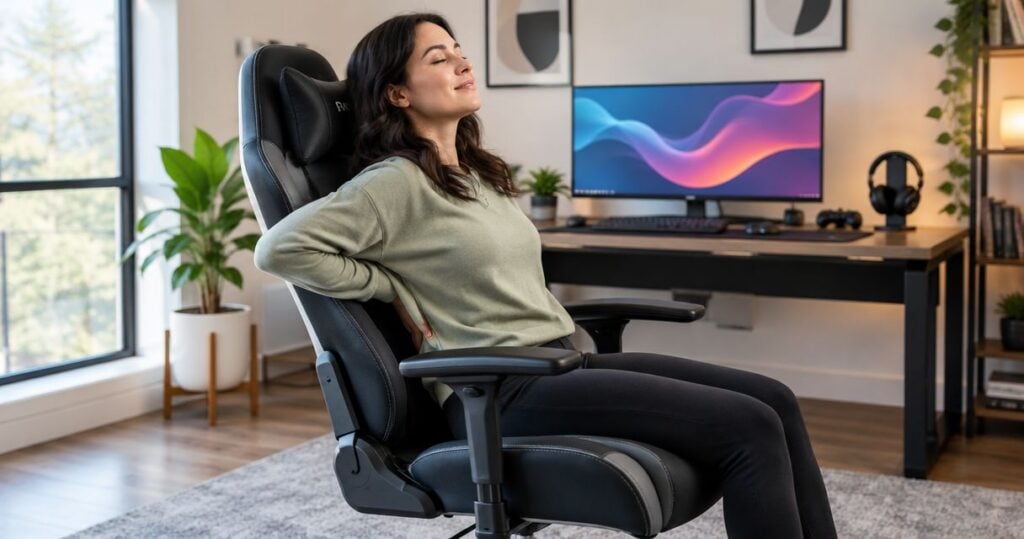
Default option: an adjustable task chair that fits your body and desk. For a gaming-style setup, compare an adjustable gaming chair; for a warm room, compare a mesh-back task chair. Searching for the best gaming chair for back pain is a starting point—not evidence that a chair will address your symptoms.
- The best gaming chair for back pain search should start with seat fit, desk compatibility and adjustable controls.
- Adjustable task chairs are the default comparison option; gaming-style chairs need the same fit checks.
- Mesh-back chairs suit airflow preferences, while compact adjustable chairs suit restricted desk spaces.
- MyChiro provides chiropractic care in Bondi Junction; this guide compares chair features, not clinical outcomes.
Why this matters
A chair can offer adjustable support without being a treatment for back pain. Keep those decisions separate. A product description about lumbar support does not establish that the chair changes a medical condition.
For your 2026 shortlist, judge the chair as part of a complete workstation: desk, monitor, keyboard, mouse and space to move. A chair that feels comfortable away from the desk can still leave you reaching for the mouse or struggling to get underneath the desktop.
MyChiro is a chiropractic clinic and wellness centre in Bondi Junction, Sydney. This guide is general equipment-selection information, not an individual assessment or a recommendation to receive chiropractic care.
What makes a suitable gaming chair?
Use these criteria before comparing styles. They are practical selection checks, not a clinical scoring system.
- Seat fit: You should be able to sit against the backrest without the seat edge pressing behind your knees.
- Height adjustment: Check whether you can reach the desk while keeping your feet supported on the floor or a suitable footrest.
- Backrest adjustment: Look for controls that let you position the backrest comfortably rather than relying on a fixed shape.
- Armrest clearance: Armrests should not prevent you from approaching the keyboard and mouse.
- Movement controls: Check how the tilt and recline mechanisms work, including whether you can adjust their resistance.
- Trial and documentation: Read the current dimensions, adjustment instructions and return terms before deciding.
Fit comes before the gaming label. A head cushion, racing-style shell or prominent lumbar pad does not tell you whether the seat works with your proportions.
Also distinguish a chair's features from its advertising claims. Adjustable lumbar support describes a mechanism; a promise to correct your spine or remove pain makes a different claim that needs evidence.
Chair options at a glance
This 2026 comparison ranks chair types by the buying problem they address. It does not rank named products or make claims about symptom improvement. Individual models within each category differ, so check the actual chair rather than assuming the category guarantees its features.
| Order | Chair option | Suited to | Feature to check | Key limitation |
|---|---|---|---|---|
| 1 | Adjustable task chair | A shared work-and-gaming desk | Seat height, seat depth and backrest controls | Adjustment range varies between models |
| 2 | Adjustable gaming chair | A gaming-style setup | Usable backrest, armrest and seat adjustments | Sculpted seats and side bolsters can restrict fit |
| 3 | Mesh-back task chair | A preference for an open backrest | Mesh tension, frame contact and lumbar placement | Backrest feel is not interchangeable with padded upholstery |
| 4 | Compact adjustable chair | A restricted desk space | Footprint, armrest clearance and usable seat depth | A smaller footprint can also mean a smaller seat |
1. Adjustable task chair: for a shared work-and-gaming desk
An adjustable task chair is a sensible starting category when you use the same desk for work and gaming. Compare models that let you adjust seat height, backrest position and armrest height; check seat-depth adjustment separately because it is not universal.
Test the chair with your normal keyboard and mouse position. You should not need to perch on the seat edge simply to reach your controls. If the chair only fits when the armrests are removed or the desk changes, include that in your decision.
Adjustable task chair pros:
- Several independent controls can give you more ways to organise the workstation.
- A less sculpted seat gives you an alternative to a racing-style shell.
- The same chair can serve desk work and gaming without requiring different seating arrangements.
Adjustable task chair cons:
- A task-chair label does not guarantee adjustable seat depth or suitable lumbar placement.
- Controls can be difficult to identify or operate; ask for a demonstration.
- Armrests can still collide with the desk, even on an otherwise suitable chair.
Suited to: People comparing one chair for keyboard work and gaming.
For a 2026 purchase, read the model-specific adjustment guide before relying on a retailer's ergonomic label. Confirm that the controls you need exist and that their ranges accommodate you.
Verdict: Hold until you have checked seat depth and desk clearance.
2. Adjustable gaming chair: for a gaming-style setup
An adjustable gaming chair combines a gaming-oriented appearance with seating controls. The useful comparison is not its appearance against an office chair; it is whether its actual seat, backrest and armrests fit your workstation.
Pay particular attention to raised side bolsters. Check whether they leave you enough usable seat width and allow your preferred sitting position. A detachable cushion also needs a practical fit check: its presence alone says nothing about whether its position is comfortable for you.
Adjustable gaming chair pros:
- It offers a gaming-style option without requiring you to abandon adjustment criteria.
- Models with adjustable armrests let you check support and desk clearance separately.
- Recline controls provide another position to evaluate when you are not actively using the keyboard.
Adjustable gaming chair cons:
- Sculpted sides can reduce usable seat space.
- A loose lumbar cushion can move or occupy more seat depth than you expect.
- A large recline range does not establish suitability for back pain.
Suited to: People who want a gaming-style chair and are prepared to assess its fit independently of its appearance.
During a trial, use the controls as you would during a game. Check whether you can move the mouse freely without leaning around an armrest. Do not accept an awkward workstation simply because the chair looks right.
Verdict: Hold until the seat shape and armrests pass your fit checks.
3. Mesh-back task chair: for an open-backrest preference
A mesh-back task chair uses a tensioned mesh surface instead of a fully padded backrest. It is an option to compare if you prefer an open backrest, but material choice does not establish clinical suitability.
Sit against the whole backrest, not just its centre. Check where the frame contacts your body and whether any separate lumbar component feels intrusive. Mesh tension and frame shape differ between models, so do not assume that liking one mesh chair means another will feel similar.
Mesh-back task chair pros:
- The open construction provides an alternative to a fully upholstered backrest.
- You can assess mesh tension and lumbar placement as separate features where the design allows it.
- Models with seat and backrest adjustments can be compared against the same criteria as other task chairs.
Mesh-back task chair cons:
- The surrounding frame can be noticeable when you lean back or change position.
- Fixed mesh tension might not match your preference.
- A mesh backrest does not guarantee a suitable seat cushion or seat depth.
Suited to: People who prefer the feel and construction of an open backrest.
For your 2026 comparison, distinguish a mesh-back chair from a chair with both a mesh seat and backrest. They are different sitting surfaces. Check the exact construction rather than relying on the word mesh in the product name.
Verdict: Hold until you have assessed frame contact and backrest feel.
4. Compact adjustable chair: for a restricted desk space
A compact adjustable chair is worth comparing when a larger chair cannot approach your desk or move comfortably within the room. Check the base, armrests and backrest as well as the seat: the widest part is not always where you expect it.
Compact describes size, not suitability for a particular person. A smaller footprint can be useful, but a short or narrow seat can create a different fit problem. Keep your body measurements and the room measurements separate.
Compact adjustable chair pros:
- A smaller footprint gives you another option for a restricted workstation.
- Lower-profile armrests can be useful where desk clearance is limited, if the model provides them.
- A suitable compact chair can avoid the space demands of a large gaming-style shell.
Compact adjustable chair cons:
- Reduced overall size can also reduce usable seat space.
- Some designs offer fewer adjustment controls.
- A chair that fits beneath the desk can still be unsuitable for your sitting position.
Suited to: People whose main buying constraint is desk or room clearance.
Measure the available space before visiting a showroom, then test the chair itself. Include room to pull the chair back and stand up; fitting underneath the desk is only part of the check.
Verdict: Hold until both body fit and room clearance are confirmed.
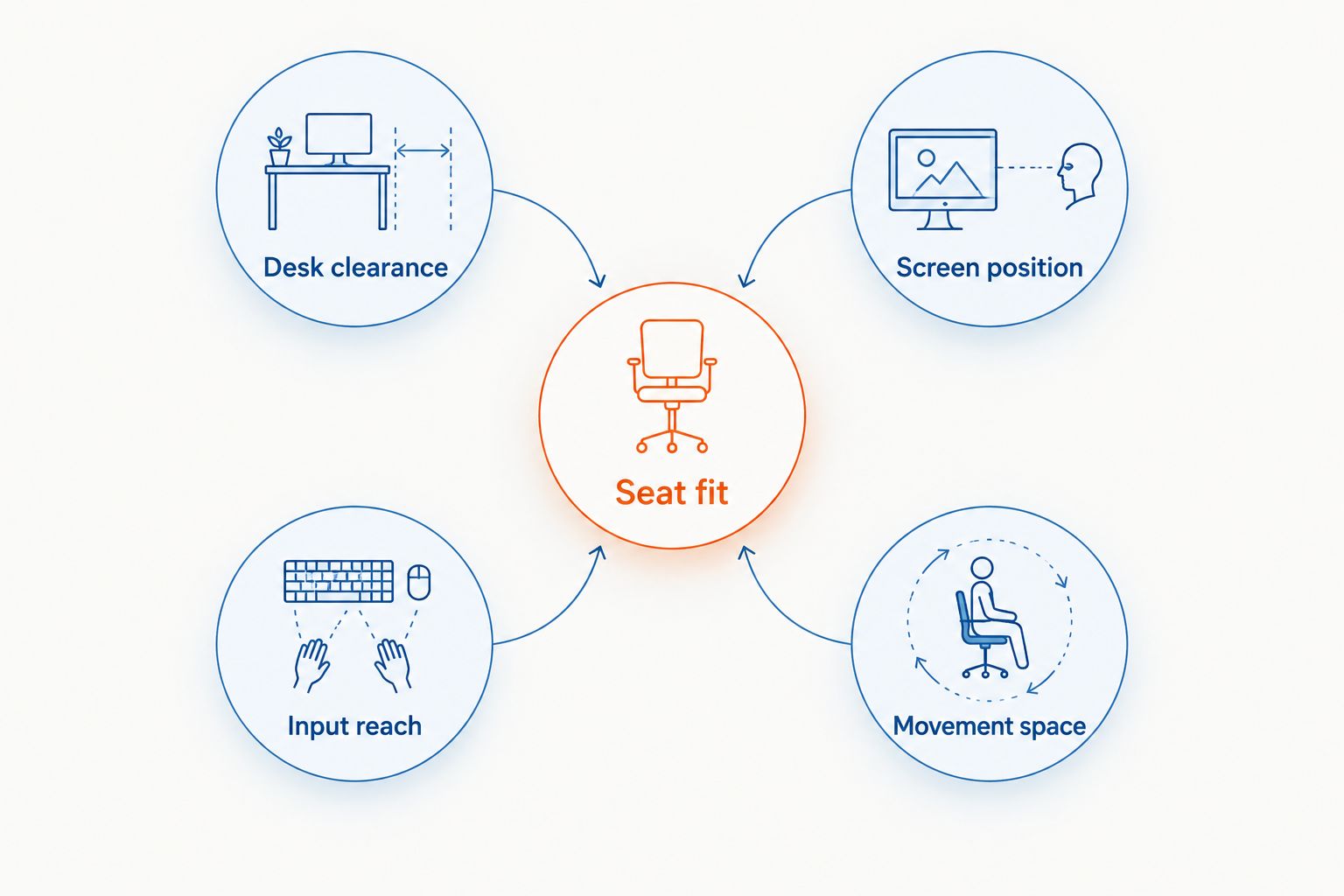
Check the whole setup before replacing the chair
Start with your existing chair if its controls still work. This is a workstation check, not a reason to continue using damaged equipment or to disregard symptoms.
- Seat fit: Sit against the backrest and check the seat edge behind your knees.
- Desk clearance: Bring the chair towards the desk and check for armrest contact.
- Screen position: Place the display where you can read it without repeatedly leaning towards it.
- Input reach: Keep the keyboard and mouse within a comfortable reach.
- Movement space: Leave enough room to change position and get up.
The US Occupational Safety and Health Administration's Computer Workstations eTool gives a general screen-distance range of approximately 50–100 cm and describes the centre of the screen as typically 15–20 degrees below horizontal eye level. The Canadian Centre for Occupational Health and Safety's office-chair guidance describes an elbow angle of approximately 90 degrees when checking chair height. These are workstation reference points, not prescribed positions for back pain.
Use those references in your 2026 setup as starting points, then account for readability, eyewear, desk height and comfort. You do not need to hold one rigid posture throughout a session.
How the options are ranked
The order follows the selection criteria: adjustment first, then gaming-style preference, backrest material and space constraints. It is a decision guide, not a product test or a clinical effectiveness ranking.
No chair type receives a pain-relief rating. Manufacturer claims, individual comfort and evidence about a medical condition are separate questions. Keep them separate when you compare equipment.
Which chair should you choose?
Start with an adjustable task chair if you have no strong style or material preference. Then compare the actual adjustment range, usable seat dimensions and desk clearance against your needs.
Choose a gaming-style, mesh-back or compact option only when that category addresses a clear preference or constraint. Do not sacrifice basic fit for a feature you will rarely use.
If back pain persists, worsens or interferes with normal activities, discuss it with a qualified health professional rather than relying on a furniture purchase. MyChiro offers chiropractic care, but whether any particular care is appropriate requires an individual assessment.
Seek emergency medical assessment for back pain accompanied by new bladder or bowel changes, loss of sensation around the genitals or anus, or weakness or numbness in both legs. These warning signs are described in the NHS Back pain guidance; chair shopping is not the appropriate response.
FAQ
What’s the best gaming chair for back pain?
There is no single chair recommendation for every person with back pain. Compare seat fit, adjustment controls and desk compatibility, and discuss persistent or worsening symptoms with a qualified health professional.
Is a gaming chair better than an office chair for posture?
The category label does not establish suitability for posture or symptoms. Compare the actual seat shape, backrest controls and armrest clearance rather than assuming one category is better.
Should I choose a mesh or padded backrest?
Choose by fit and your preference for the sitting surface, not by an assumed medical benefit. Check mesh-frame contact or padded-backrest shape while using the chair in your normal desk position.
Do I need a lumbar cushion on a gaming chair?
A separate lumbar cushion is not automatically necessary. Check whether it feels comfortable, stays in position and leaves enough usable seat depth before keeping it in your setup.
Should my feet touch the floor when gaming?
Your feet should have support from the floor or a suitable footrest. Check this together with desk height so that changing the chair height does not create an awkward keyboard position.
Can a gaming chair correct my posture or remove back pain?
This guide does not establish that a gaming chair corrects posture or removes back pain. Chair features are equipment characteristics, not evidence of a clinical outcome.
When should I get medical advice rather than change my chair?
Discuss persistent, worsening or activity-limiting back pain with a qualified health professional. Seek emergency assessment for new bladder or bowel changes, loss of sensation around the genitals or anus, or weakness or numbness in both legs.
One last thing
Bring your desk measurements to the chair trial. A comfortable showroom seat can still be a poor match for your keyboard height or desk clearance. For your 2026 purchase, ask to see each adjustment working rather than judging the chair in its display position.
Related guides
- Lower back pain when sitting: causes and practical steps
- Ergonomic setups for shift workers
- Lumbar support cushions for office chairs
- How to prepare for your first chiropractor appointment