

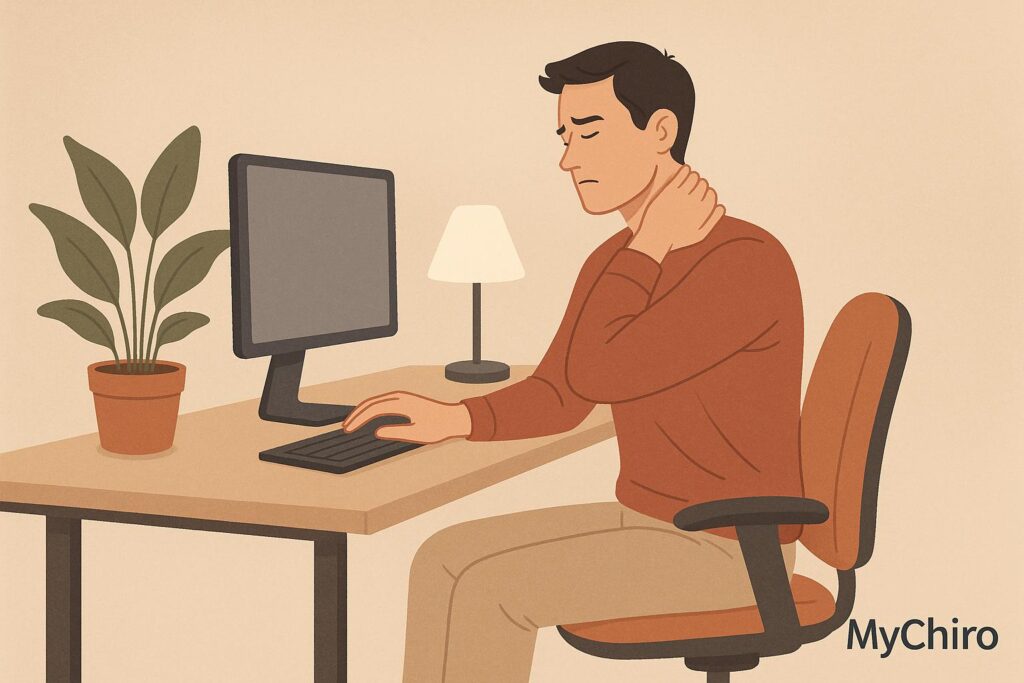
Working from home can lead to back pain, neck pain, and headaches, especially if your setup isn’t ergonomic. If discomfort persists despite workspace adjustments or self-care, it might be time to consult a chiropractor.
Key Points:
- Common issues: Back pain, neck stiffness, shoulder tension, and headaches often arise from long hours of sitting and poor posture.
- When to seek help: Persistent pain, limited movement, or numbness may signal deeper issues requiring professional treatment.
- Chiropractic care benefits: Spinal adjustments, posture advice, and tailored exercises can address pain at its source and improve mobility.
- Prevention tips: Use ergonomic furniture, take regular movement breaks, and ensure your workspace supports proper posture.
If pain disrupts your daily life or doesn’t improve, professional care can help you feel better and prevent long-term problems.
Work from Home Tips for People with Neck and Back Pain
Signs You Should See a Chiropractor
Poor ergonomics can take a toll on your body, and there are some clear signs that might mean it’s time to seek professional help.
Pain That Won’t Go Away
If you’ve been dealing with persistent pain in your back, neck, or shoulders for days – even after making ergonomic changes like adjusting your workspace or switching to a supportive chair – it might point to deeper issues with your muscles or joints.
Everyday aches from sitting too long or working in awkward positions often ease with rest, stretching, or small adjustments. But when pain starts interfering with your daily life, keeps you up at night, or worsens over time, that’s a red flag. Pay close attention to symptoms like pain radiating into your arms or legs, or sensations of numbness, tingling, or weakness – these could indicate nerve involvement and shouldn’t be ignored.
Stiffness and Limited Movement
Struggling with stiffness that makes simple tasks – like turning your head, bending forward, or twisting your torso – uncomfortable? This might be a sign of joint restrictions or muscle tension, often caused by long hours of sitting or poorly arranged workstations.
While it’s normal to feel a bit stiff after sitting for extended periods, that stiffness should improve with self-care measures like stretching or moving around. If it doesn’t, or if it’s significantly limiting your range of motion, it’s worth considering a professional evaluation to uncover what’s really going on.
Headaches and Posture Problems
Tension headaches are a common complaint among remote workers, with 30–40% reporting headaches linked to poor posture or extended screen time. These headaches often feel like a tight band around your head or pressure at the base of your skull. If headaches consistently coincide with long work hours or slouching, it’s a sign that your posture or workspace setup might be to blame.
Changes in posture, such as rounded shoulders or a forward head position, can also signal deeper issues. Over time, poor posture can alter the natural alignment of your spine, leading to chronic discomfort. If tweaking your monitor height, using ergonomic tools, or taking breaks isn’t easing headaches or posture-related discomfort, consulting a chiropractor may help pinpoint the root cause and improve your overall well-being.
How Chiropractic Care Helps Remote Workers
Chiropractic care plays a key role in managing the common musculoskeletal problems faced by remote workers. Instead of simply masking discomfort, chiropractic treatments aim to address the root causes through targeted therapies and tailored care plans. For those spending long hours at a desk, this approach can provide much-needed relief and support for overall wellbeing.
Spinal Adjustments to Improve Mobility
Spinal adjustments are a cornerstone of chiropractic care, especially for individuals dealing with pain and stiffness from extended sitting or poor posture. These gentle techniques aim to correct misalignments in the spine, which can help improve joint mobility and reduce nerve irritation. For remote workers, this often translates to relief from back and neck tension.
Chiropractors typically focus on specific problem areas. For instance, the cervical spine (neck region) often suffers from forward head posture, while the lumbar spine (lower back) can become compressed and stiff from prolonged sitting. By addressing these areas, spinal adjustments can help restore natural movement patterns and maintain the spine’s healthy curves.
Guidance on Posture and Workspace Setup
A key benefit of chiropractic care for remote workers is the personalised advice on improving your home office setup. Chiropractors can evaluate your workspace and suggest practical changes to minimise strain on your body. These recommendations might include raising your computer monitor to eye level, ensuring your feet are flat on the floor, and adding lumbar support to your chair.
Research backs the importance of ergonomic adjustments – studies from the Mayo Clinic (2022) show that such interventions can reduce musculoskeletal pain by up to 54% in office workers. Beyond adjusting your workspace, incorporating regular movement into your day is equally vital for reducing strain.
Tailored Exercise and Stretching Plans
Chiropractors often provide customised exercise and stretching routines to strengthen the muscles supporting your spine, improve flexibility, and counteract the effects of prolonged sitting. Core-strengthening exercises are particularly effective for maintaining proper spinal alignment and easing the strain on back muscles during long work hours. Additionally, stretches for the neck and shoulders can help release tension caused by static postures.
Lower back exercises, such as gentle spinal rotations and hip flexor stretches, are especially helpful for preserving natural lumbar mobility. Regularly following these routines can lower the risk of chronic back pain by around 30% in sedentary adults. These programs are designed to progress gradually, allowing you to build strength and flexibility over time.
For remote workers in Australia, evidence-based chiropractic care – like that offered by Dr Steve at Chiropractor in Bondi Junction – can help address desk-related discomfort and promote better spinal health.
Self-Care vs Professional Treatment
When it comes to managing work-from-home-related pain, there are two primary approaches: self-care and professional chiropractic treatment.
Comparing Your Options
Self-care is a good starting point for mild, occasional discomfort caused by temporary factors like poor posture or lack of movement. Simple adjustments to your workspace can make a big difference – like ensuring your elbows form a 90° angle, raising your monitor to eye level, and keeping your feet flat on the ground. Research by Niekerk et al. highlights that ergonomic chairs can significantly reduce lower back pain and improve posture for office workers.
Taking regular movement breaks – every 30 minutes to an hour – can also help minimise strain. Alternating between sitting and standing, combined with using a lumbar support, can ease minor back tension.
| Approach | Examples | When Most Appropriate | Key Limitations |
|---|---|---|---|
| Self-Care | Stretching routines, ergonomic adjustments, movement breaks, home exercises | Mild discomfort, prevention, early-stage pain | May not address deeper spinal issues or chronic symptoms |
| Chiropractic Care | Spinal adjustments, manual therapy, tailored exercises, personalised ergonomic advice | Persistent pain, mobility issues, complex conditions, or when self-care isn’t enough | Requires professional consultation and regular appointments |
Professional chiropractic care is more targeted, addressing ongoing or severe symptoms. Treatments like spinal adjustments, soft tissue therapy, and customised exercise programs are paired with tailored ergonomic advice to tackle the root causes of discomfort.
If self-care alone doesn’t bring relief, it might be time to explore professional chiropractic options.
When to Seek Professional Help
While self-care can manage many minor aches, persistent or severe discomfort is a sign you may need professional assistance. For example, neck stiffness after a long day at your desk might resolve with stretching and better ergonomics. But if symptoms persist or worsen, professional evaluation is a smart next step.
Certain warning signs should not be ignored. If you experience numbness, tingling, or weakness in your arms, legs, or hands, it could indicate an issue beyond simple muscle strain. A noticeable loss of mobility, such as difficulty turning your head or sharp pain when bending forward, is another clue that professional care may be necessary. Pain that disrupts your sleep or daily activities is a clear signal to seek help.
Combining self-care and chiropractic treatment can deliver long-term relief. While chiropractic care addresses more complex or persistent issues, self-care helps maintain progress and prevent future problems. With the right ergonomic advice and exercises, you can also manage minor flare-ups on your own while knowing when professional support is needed.
For Australian remote workers dealing with ongoing desk-related discomfort, evidence-based chiropractic care could be an effective part of a comprehensive treatment plan.
sbb-itb-585d67d
Preventing Work-from-Home Pain
For many Australians, working from home has become a regular part of life. However, it’s also led to an increase in back and neck pain. According to the Australian Institute of Health and Welfare, nearly half of Australians working remotely during the COVID-19 pandemic reported experiencing new or worsened pain in these areas. While treatment options are available, simple changes to your workspace and daily habits can go a long way in preventing discomfort.
Setting Up Your Workspace
A comfortable and supportive workspace is key to maintaining good posture and avoiding strain. Here are some practical tips:
- Adjust your chair so your feet rest flat on the floor, your knees are level with your hips, and your lower back is supported. A cushion can work as lumbar support if needed.
- Position your desk so your elbows form a 90° angle when typing, and raise your monitor to eye level, keeping it about 50–60 cm away from you.
- If your chair is too high, use a footrest. If your desk is too low, try placing books or risers under your laptop or keyboard.
- For laptop users, elevate the device with a stand and use an external keyboard and mouse to keep your neck aligned.
- Place your setup near a window with light coming from the side to minimise glare.
Even if you’re working with limited space or resources, small adjustments can make a noticeable difference. Avoid working from the couch or bed, and instead, create a dedicated workspace – whether it’s at the dining table or a kitchen bench.
Taking Regular Movement Breaks
Sitting for long periods – especially more than six hours a day – can increase the risk of lower back pain and other issues. Since our bodies aren’t meant to stay in one position for too long, regular movement is essential.
Aim to stand up, stretch, or take a short walk every 45 minutes. A timer or reminder app can help you stay consistent. During these breaks, try simple exercises like:
- Neck rolls and shoulder shrugs to release tension.
- Gentle spinal twists or standing back extensions (arching backwards while supporting your lower back with your hands) to counteract forward-leaning desk postures.
If possible, alternate between sitting and standing throughout the day. Even brief standing periods can help reduce lower back strain.
Regular Spinal Health Checks
In addition to ergonomic adjustments and movement, regular spinal health evaluations can help maintain long-term wellbeing. These assessments can catch early signs of postural issues, joint stiffness, or muscle tension before they develop into chronic problems.
A typical spinal health check might include a postural evaluation, range-of-motion tests for the neck, back, and shoulders, and a review of your work habits. Early detection often leads to more effective solutions. For instance, a chiropractor can spot subtle alignment issues and provide tailored advice on exercises, workspace tweaks, and preventive measures.
For busy professionals, accessing this care is easier than ever. Many practitioners, like Dr Steve in Bondi Junction, offer flexible scheduling and online booking to fit into packed routines. Some health insurance plans even offer rebates for chiropractic services, making regular check-ups more affordable.
You can also monitor your posture at home. Use a mirror or check yourself during video calls to ensure your shoulders aren’t hunched and your head stays aligned. Think of these check-ups as maintenance for your spine, much like a car service or dental visit.
Taking Action on Work-from-Home Pain
Working from home has its perks, but it’s also introduced some unexpected challenges – especially for our physical health. If your home office setup is causing discomfort, ignoring it could lead to long-term issues.
Pay attention to persistent pain or discomfort. If you’ve been dealing with aches, stiffness, or headaches for more than two weeks, it’s time to take note. Keep track of when the pain occurs and what activities seem to trigger it. Studies show that most people start slouching within 15 minutes of sitting or standing in the same position. A simple symptom diary can be incredibly useful when speaking with a healthcare professional.
Address the problem with both short-term and long-term strategies. Quick fixes like ergonomic adjustments or taking movement breaks can help, but ongoing discomfort may need a deeper look. A chiropractor, for instance, can assess your condition, identify potential misalignments or muscle imbalances, and suggest treatments along with practical workspace improvements.
Know when to seek professional help. If your pain is disrupting your sleep, worsening, or not improving with stretching or ergonomic tweaks, it might be time to consult a professional. Chiropractic care can help tackle work-from-home pain through spinal adjustments, posture correction, and tailored exercise plans. Many practitioners now offer flexible appointment options and online booking, making it easier to fit care into your busy schedule. Alongside professional treatment, incorporating preventive measures can help maintain your spinal health.
Don’t wait for pain to become severe – embrace preventive care. Regular spinal health checks can catch small issues before they turn into bigger problems. Making preventive care part of your overall wellness routine can be a smart way to protect your long-term health.
Make movement a priority during your workday. Even a 10–30 second stretch every 30 minutes and a quick walk every hour can work wonders for preventing muscle fatigue and strain. Setting timers or reminders for these breaks can help you stay consistent, keeping your spine and overall wellbeing in check.
Local professionals, like Dr Steve in Bondi Junction, specialise in evidence-based chiropractic care. His approach combines spinal adjustments with personalised advice on setting up your workspace and exercise plans, offering a well-rounded solution for managing pain and discomfort while working from home.
Take action before bad habits set in. Delaying care can allow poor posture or movement patterns to become ingrained, making treatment more challenging down the line. Early intervention can lead to better outcomes and help you avoid more intensive care later. Remember, your body adapts to the demands you place on it – make sure those demands are supporting your health and comfort for the long haul.
Disclaimer
Disclaimer: Please take a moment to review this important information.
The details provided here are general and should not replace professional medical advice. Chiropractic care primarily addresses musculoskeletal health, and individual results can vary significantly.
Seek immediate medical attention if you experience: prolonged severe pain, persistent numbness or tingling, sudden incontinence, unexplained weight loss, or pain following trauma or fever. In such cases, consult a doctor or contact emergency services rather than relying on self-care or waiting for a chiropractic appointment.
Health conditions and outcomes vary from person to person. Factors like the cause of pain, medical history, age, fitness level, and other health conditions all influence treatment effectiveness. What benefits one individual may not work for another, highlighting the importance of personalised professional advice.
Ensure your practitioner is registered with AHPRA, and tailor ergonomic advice or exercises to your specific needs. Mention of particular practitioners or services is for informational purposes only and does not imply endorsement. Stop any activity that worsens discomfort, and consult a healthcare professional if necessary. Always discuss these considerations with your healthcare provider to identify the best course of action.
While chiropractors specialise in musculoskeletal and spinal health, certain symptoms may require evaluation by a GP or specialist. Work closely with your primary healthcare provider to ensure you receive the most suitable care for your unique situation.
FAQs
How do I know if my work-from-home setup is causing back or neck pain?
If you’re struggling with back or neck pain, take a moment to consider your daily habits. Do you spend hours in the same position? Does the discomfort grow worse as the day goes on? Or maybe you feel stiff every time you get up from your desk? These could be signs that your posture, chair, or even the position of your screen might be contributing to the problem.
When the pain doesn’t ease up, starts interfering with your routine, or lingers despite simple fixes like tweaking your desk setup or taking frequent breaks, it might be time to consult a professional. A chiropractor can evaluate whether your discomfort is tied to your work environment and help you find ways to address it.
What ergonomic adjustments can I make to my home office to reduce discomfort?
To make working from home more comfortable, try these ergonomic tips:
- Maintain good posture: Sit with a straight, neutral spine, keep your feet flat on the floor or supported by a footrest, and relax your shoulders. Position your monitor at eye level to help prevent neck strain.
- Optimise your workstation: Choose a chair that offers proper lower back support. Keep your keyboard and mouse within easy reach to minimise unnecessary strain.
- Take regular breaks: Every 20–30 minutes, stand up, stretch, or take a short walk to avoid being in the same position for too long.
Note: This information is general and not intended to replace professional medical advice. Chiropractic care addresses musculoskeletal health, but results can vary. Always consult a qualified healthcare professional before making health-related decisions.
What makes chiropractic care a unique option for work-from-home pain relief?
Chiropractic care takes a tailored approach to easing the discomfort that often comes with working from home. It focuses on addressing deeper issues such as poor posture, spinal misalignment, and muscle tension. Rather than just offering short-term relief, chiropractic care works towards improving mobility, posture, and overall musculoskeletal health for the long haul.
For many remote workers, long hours at a desk can lead to back pain, neck tension, or persistent headaches. Through targeted adjustments and personalised advice on posture and ergonomics, chiropractors can help alleviate these issues. Over time, this approach encourages better alignment and reduces physical strain, making daily work life more comfortable.